
Numbers
1. Introduction
1.1. How we display numbers in Horizon?
We’re not big on spelling out numbers. We prefer using numerals (1, 2, 3, etc.). This applies to currencies (1,000 USD), decimals (51.2), percentages (76%), ordinals (1st), and many other scenarios.
However, there are exceptions, like idioms. For example, “one in a million.” But keep in mind that idioms might not be understood by everyone, so use them sparingly to stay inclusive.
2. Abbreviating the word “Number”
The recommended abbreviation for the word “number” is “no.” with a period.
Avoid using the “#” symbol in place of “number” unless space is extremely limited, such as on mobile screens.
However, do not choose the “no.” abbreviation and always focus on writing “number”.
For instance, “n°” is the standard abbreviation in France.
3. Styles of numbers
3.1. Bold Numbers
Use bold to highlight user interface elements, such as numbers, within instructional text. Avoid using bold purely for emphasis.
Apply only one formatting style at a time (e.g., color, bold, italics, indentation). For example, if ghost text in a form field is already italicized or colored, do not add bold formatting as well.
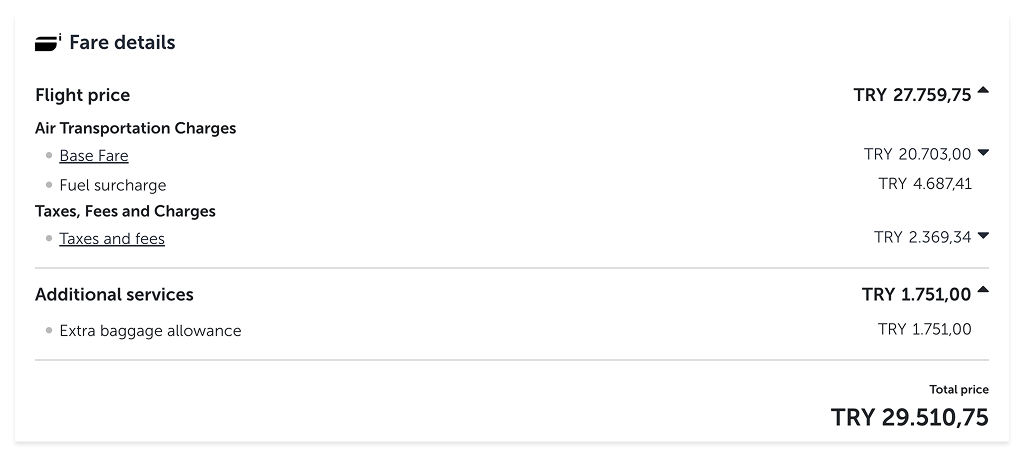
Please do not use bold numbers in paragraphs, descriptions, and body copies. Only use bold numbers for subtotals in tables.
3.2. Decimals
- a. Round decimals to the hundredth place (e.g., 33.76).
- b. Omit trailing zeroes when possible, unless representing a monetary amount.
- c. Use decimals (e.g., 0.75) instead of fractions.
3.3. Footnote
We strongly advise against using footnotes; instead, use asterisks when necessary.
Avoid using too many asterisks in a text, as it can be confusing. In these cases with multiple notes, place the footnotes at the end of sentences. Keep explanations brief and concise to avoid overwhelming the reader.
1. This weight includes passengers, cargo, and fuel.
3.4. Numbers with commas
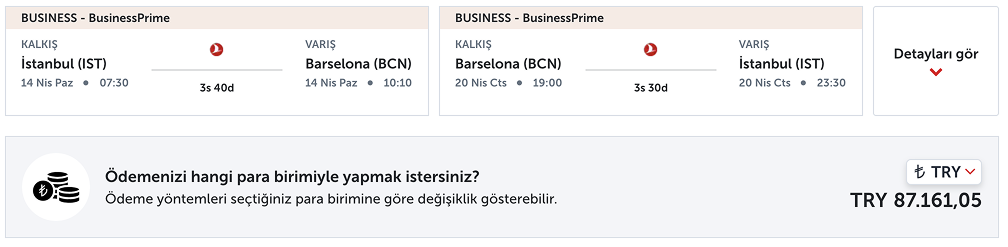
Use a comma to separate the thousands place from other digits.
The use of commas and periods for fractions and thousands separators may vary by language. Always consult the local content designer for specific guidance.
4. Fields of usage
4.1. Currency
4.1.1 Tables: In tables, place the international currency code before the amount.
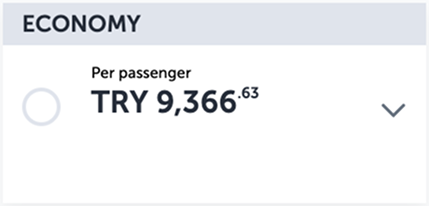
4.1.2. Text: In regular text, place the currency code after the amount (e.g., 100,000.00 USD).
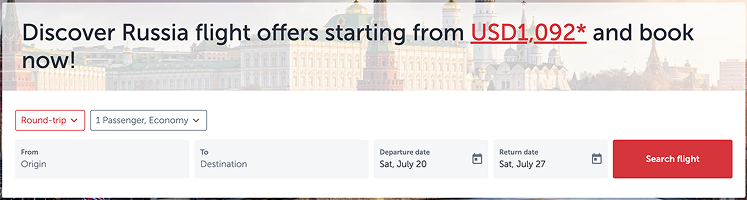
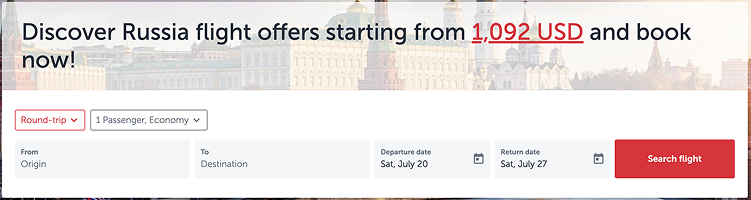
4.1.3 Writing cents: For amounts including cents, use the decimal point and comma according to the language and country’s standards.
In English, we format currency as 100,000.00 USD, using a comma for thousands and a decimal point for cents.
4.2. Dates
4.2.1. Ordinal indicators: Avoid using ordinal indicators such as “1st” or “2nd” when writing dates.
4.2.2. Decades: When writing decades, use the format “1990s” without an apostrophe.
4.2.3. Our standards: Follow our standards (dd/mm/yyyy, dd/mm, dd Month) for date formatting. To prevent confusion do not use different formats for other countries.
4.2.4. Others: For all representations of numbers in dates, including regular text, placeholders, etc., check the Date and Time.
23/06/2024
23/08
23 Jun
Sunday, June 23, at 9 PM
The flight will take place on June 23, 2024.
4.3. Phone numbers
When typing phone numbers, we first ask the user to select the country code. Then we take the number with spaces between them. After the country code, the operator code follows. The remaining digits are separated as 3-2-2.
+90 521 222 33 44
+44 113 111 22 43
4.4. Time
For time zones relevant to your target audience’s country, follow regional guidelines. When discussing time zones outside that region (internationally), use the 24-hour format with UTC offsets. For more details, check the Date and Time.
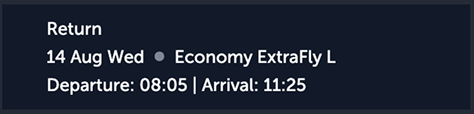
Use the format 0:00 to indicate the length of a video.
4.5. Units of measure
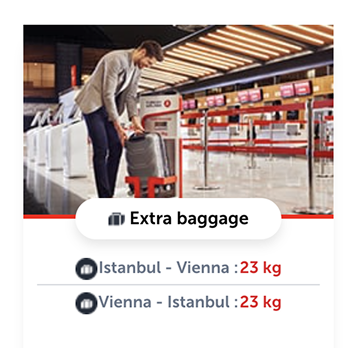
Always place numbers before units of measure, with a space between them.
Only in very special occasions or when space is limited should the number and unit be written together without a space.
5. Horizontal numbers
5.1. Miles&Smiles
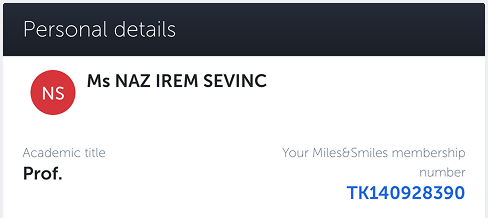
Miles&Smiles membership numbers start with TK, are 9 digits, and are written together without a space.
5.2. Flight number
You may need to use flight numbers in SMS, emails, or notifications. The template “flight number TK123” is the only format we use everywhere.
5.3. Sensitive data
Use asterisks to mask sensitive information such as usernames, credit card numbers, and email addresses.
5.3.1. For names: The first 2 letters remain visible, followed by 3 asterisks, regardless of the name’s length.
5.3.2. For credit card numbers: The first 6 digits and the last 4 digits are visible, while the remaining digits are masked.
5.3.3. For email addresses: The first 2 characters are visible, followed by 3 asterisks.
Username: Jo***
Credit Card: 123456******5678
Email Address: jo***@example.com